
How to run an event pre-sale (and turn your waitlist into new dates)
By Kelsey Gilbert-Kreiling | Co-founder, Eventually
The short answer: An event pre-sale gives a select group access to tickets before they go on sale to everyone else, usually with an access code or a scheduled on-sale time. Pair it with a waitlist and you get two things most event businesses leave on the table: an early read on demand, and a list of people ready to buy the next date you add.
What a pre-sale does for your business
Pre-sales get treated like a perk for loyal guests. They are that. They're also one of the most useful planning tools you have, because they show you how much demand exists before you spend any time promoting.
When your newsletter subscribers or past guests get early access, a few things happen at once:
You fill seats before you promote. The people most likely to buy get first pick, and your public launch starts with a partly full room.
You reward the people who already show up. Early access costs you nothing and tells your regulars they matter.
You find out early if a date will sell out. If half the seats go on the first day of a pre-sale, you know to plan a second session while there's still time to fill it.
That last one is where the revenue lives. More on that below.
How to run an event pre-sale, step by step
1. Decide who gets early access
Choose a group that actually buys: newsletter subscribers, past guests, members, or students from a previous series. Keep it specific. "Everyone who follows us on Instagram" is a public sale with extra steps.
2. Set the pre-sale window and the public on-sale time
Give the early group a head start of 24 to 72 hours, then open tickets to everyone. Pick both times before you announce anything, so you can tell people exactly when to show up.
3. Protect early access with a code
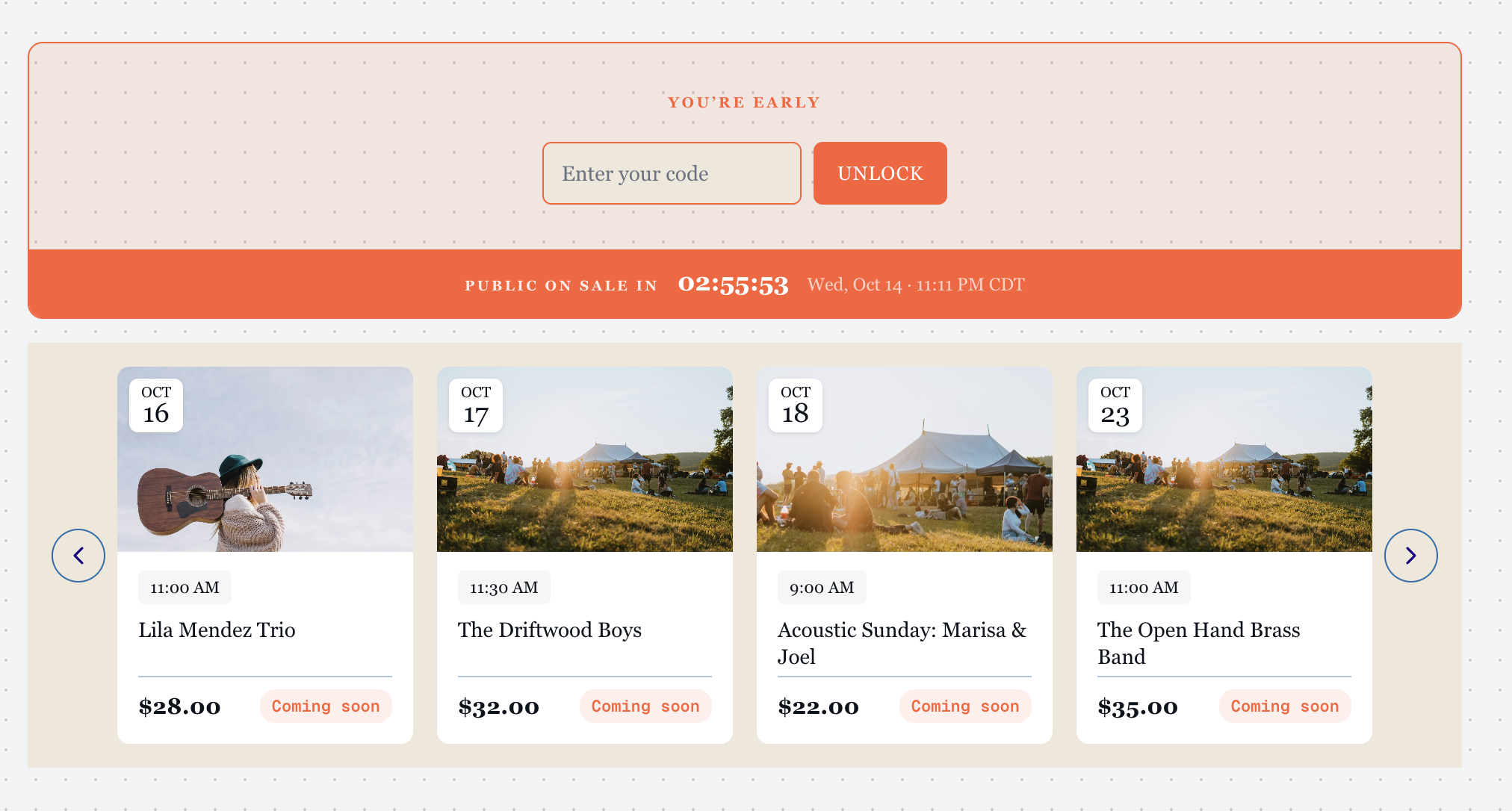
A pre-sale code keeps early access honest. Share it only with the group you chose. Everyone else who finds the event should see a clear note about when tickets open, not a broken or empty page.
4. Tell everyone the public date
Announce the public on-sale time at the same moment the pre-sale starts. Nobody feels shut out when they know when their turn comes.
5. Watch the first day
How fast the pre-sale moves is your demand signal. A slow pre-sale tells you to promote more. A fast one tells you to start thinking about another date.
Why your event needs a waitlist
Someone who clicks on a sold-out event is the warmest lead you'll ever get. They picked the date. They were ready to pay. Without a waitlist, they leave, and you never learn they were there.
A waitlist fixes two problems:
Cancellations get refilled. When a guest cancels two days out, the seat goes to someone who already said yes instead of sitting empty.
Demand becomes a number. Eight names on a waitlist is information. "It sold out fast" is a feeling.
A waitlist turns "sold out" from a dead end into a list.
How to add more classes and recapture revenue
This is where pre-sales and waitlists work together. Say you run an evening pottery class with 12 seats at $65, and it sells out with 8 people on the waitlist. That's $520 in demand with nowhere to go.
Add a second session and offer it to the waitlist first. Even if only half of them book, that's $260 you'd otherwise never see, and a new session that's partly full before you post about it anywhere.
A simple routine to repeat after every sale:
Check your waitlists. Any date where the waitlist reaches about half your capacity is a strong candidate for another session.
Add the date. If the class repeats on a schedule, setting it up as a recurring event makes this quick.
Pre-sell it to the waitlist. Send those guests a code and a 24- to 48-hour head start.
Open it publicly. Whatever seats remain go on your calendar for everyone.
Do this a few times and you stop guessing about your schedule. Your guests tell you when to add dates.
How pre-sales and waitlists work in Eventually
Eventually is event ticketing for calendar-centric businesses, built as a Squarespace-first extension. Events sync to Squarespace Commerce as service products, tickets sell as variants, and checkout runs through your own Squarespace Payments or Stripe account, so guests buy on your site.
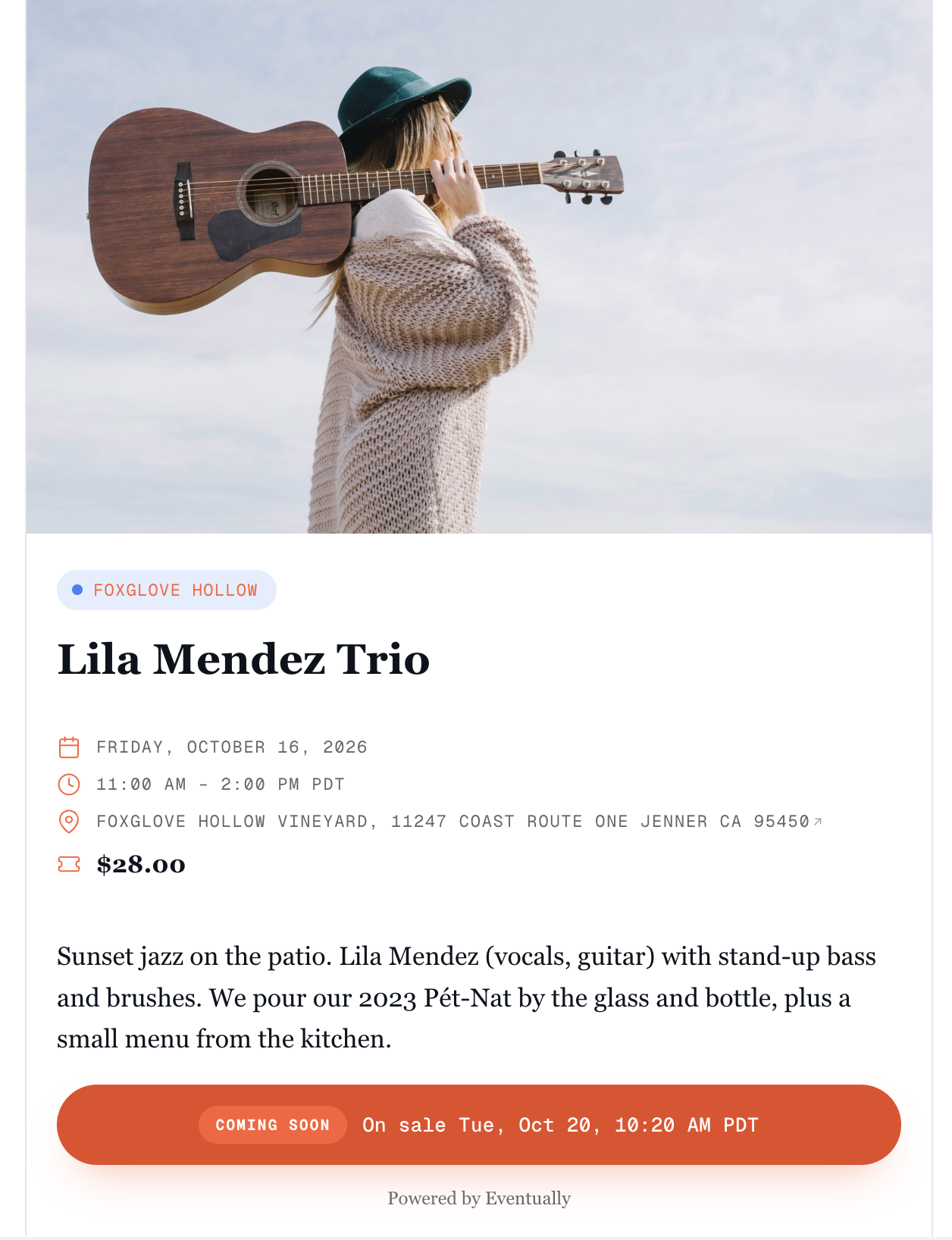
For pre-sales, you can schedule ticket sales in advance, protect early access with a code, control when events become visible to visitors, and show clear messaging before tickets go on sale. Timed ticket release lets you set a sale start date and time for each ticket type, so an early tier can open before general admission. Setup steps are in Set up a pre-sale for your events and Timed ticket release and sale windows
For waitlists, turn one on for a single event, or set a team default so every new event starts with one. When a seat opens, you promote guests off the waitlist and set an acceptance window for them to claim it. Details are in the help center guides on waitlists for sold-out events and promoting guests off the waitlist.
Christy Price of Somewhat Useful, a member of Eventually's Founding Circle, summed up why this needed building: Squarespace events "has been a major pain point for years."
What to do right now
If you've never run a pre-sale: Pick your next popular event and give your email list a 48-hour head start. Keep it simple the first time.
If your events sell out and you don't have a waitlist: Turn one on before your next date goes live. Even a short list tells you something.
If you already collect waitlist names: Look back three months. Any date with a waitlist over half its capacity is a date worth repeating.
If adding dates feels risky: Add one session, offer it to the waitlist first, and only promote it publicly if seats remain.
The bottom line
Selling out feels like the finish line. It's really the start of your next decision.
A pre-sale tells you how much demand you have. A waitlist keeps the names of the people you couldn't fit. Put them together and every full room becomes the plan for your next one.
Keep reading:
→ What to do when your event sells out: share your calendar anyway
→ Squarespace Recurring Events: Why It's Hard and What to Do About It
See it in action:
→ Pre-sales, waitlists, and ticket types
Run your next pre-sale on your own site
Set up pre-sales, waitlists, and recurring dates with checkout through your Squarespace site. Get started at eventuallyticketing.com.