

F1 / EVIE
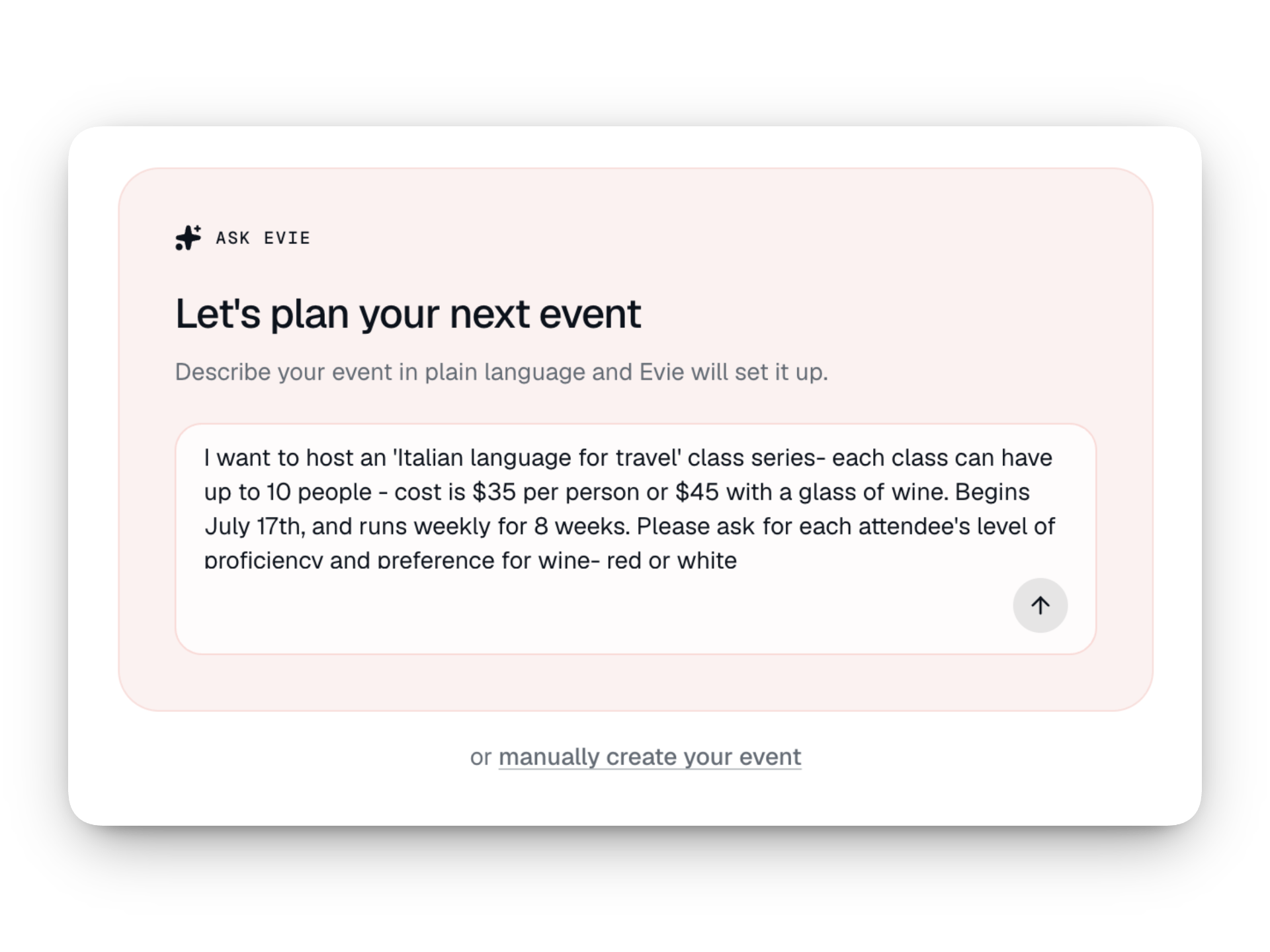
Describe an event, it exists.
You do the gathering, AI can help with the assembling. Tell Evie what you'd like to host, "rug tufting workshop Saturday, eight seats, $120, beginners welcome" — and she drafts the title, date, capacity, ticket types, and description. You review. You publish.
Voice-to-text drafts. One sentence becomes a structured event. Ninety seconds instead of an hour of form fatigue.
Included with every tier. Including the free plan. No upgrade required.
Your AI assistant can operate Eventually directly via MCP. No other Squarespace events tool has shipped one.
F02 / CALENDAR WIDGET
A widget that bends to your brand.
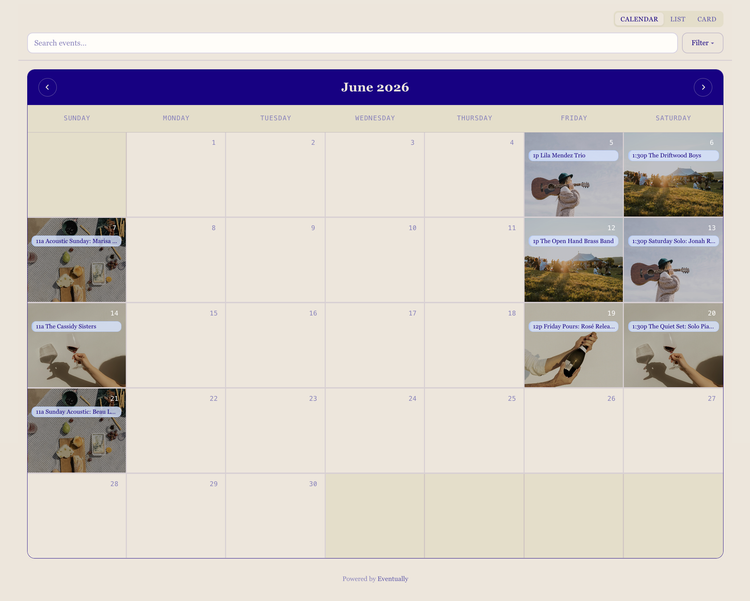
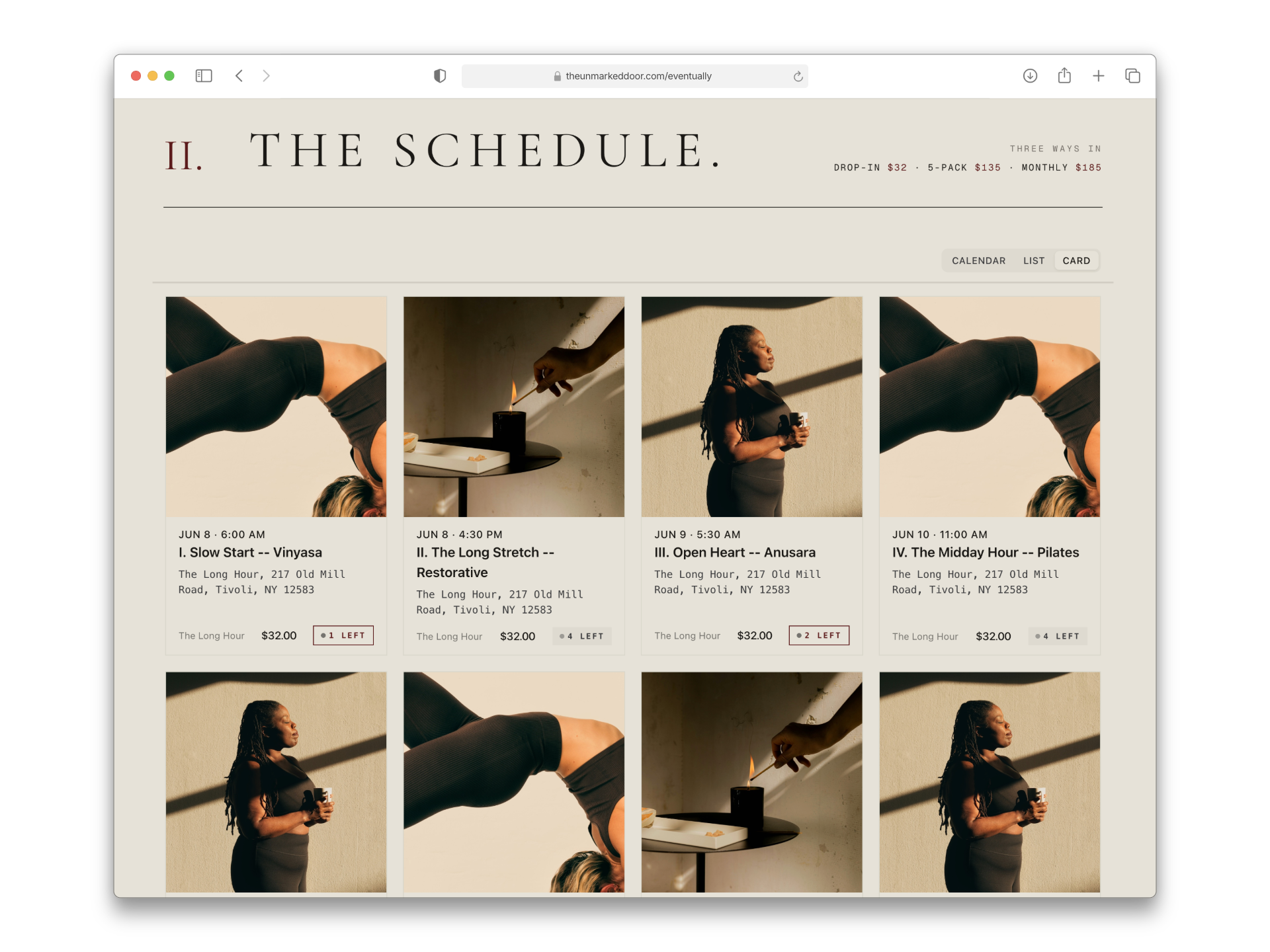
Calendar, list, cards, carousel or single event- our widgets come out of the box looking modern and welcoming, but can be customized to be a seamless extension of your brand.
Six layouts - Calendar, list, cards, combined, carousel and single event.
Brand sync - Your standards pre-set, but customizable per-embed.
Documented selectors - brand-perfect CSS in one pass.
Unlimited widgets per site - on every tier, including free.
F3 / ADVANCED TICKETING
Advanced ticketing, without ten plugins
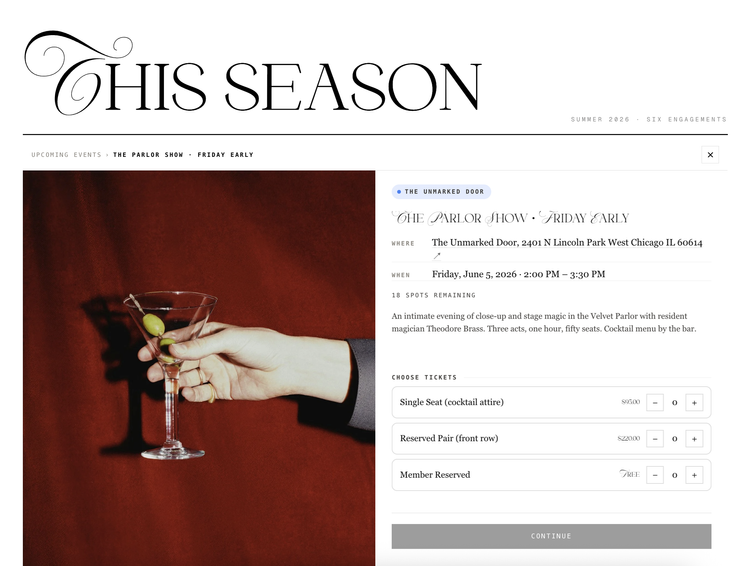
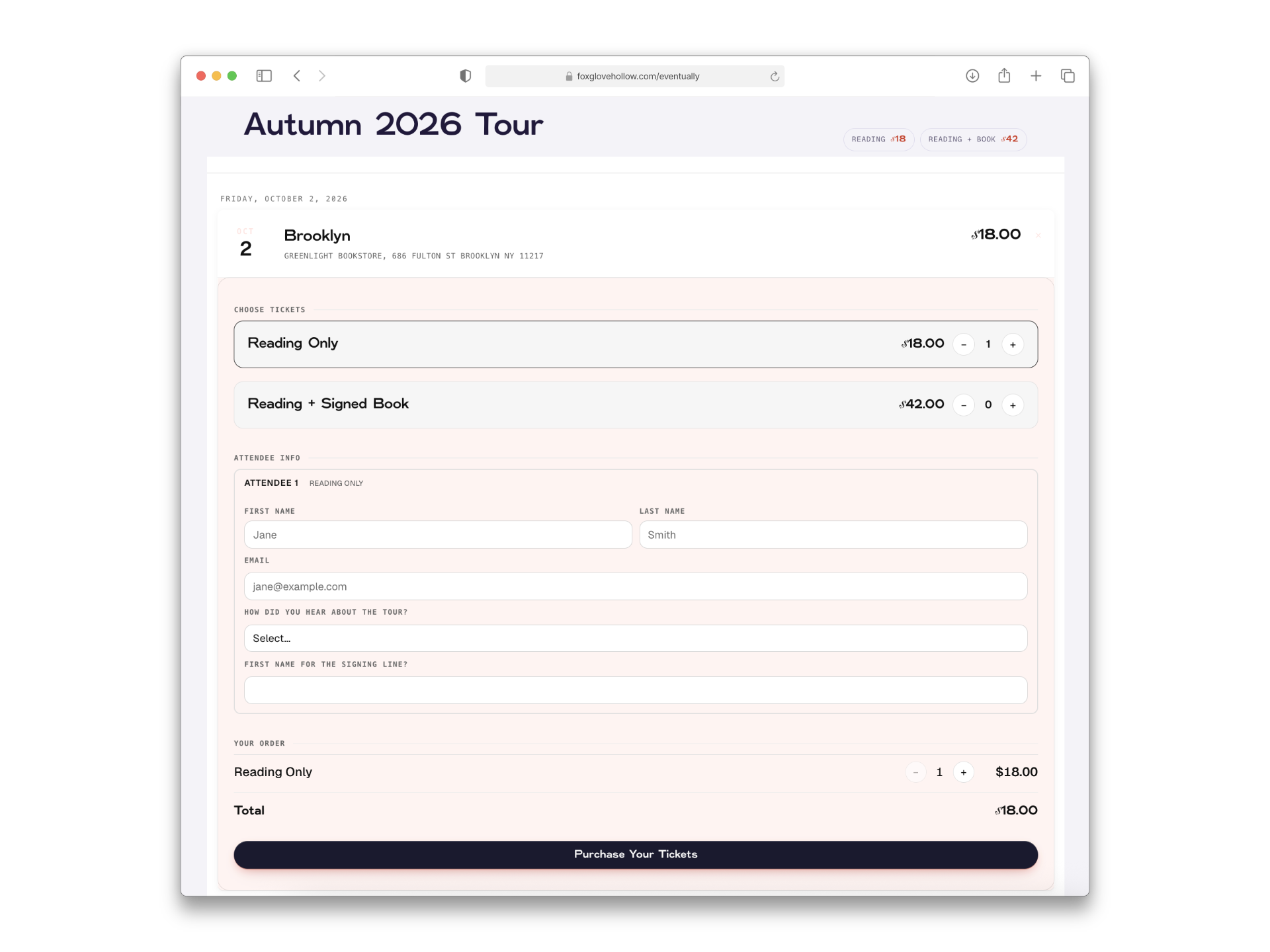
Multiple ticket types. Recurring class series. Timed pre-sale. Waitlists. Per-guest custom fields. Access codes for members. On Shopify, you'd assemble these from a handful of plugins, each one not quite right, each one billing separately. Here we understand they’re essential for calendar-centric sellers.
Multiple ticket types per event with their own descriptions and pricing.
Shared event capacity or per-ticket capacity.
Recurring events and series with custom per-event titles.
Timed pre-sale + gated acceas on a per-event or per-tag basis.
Per-guest data collection - four tickets means four names, four dietary fields, custom anything.
F04 / COMMUNICATIONS
Messages that look and sound like you.
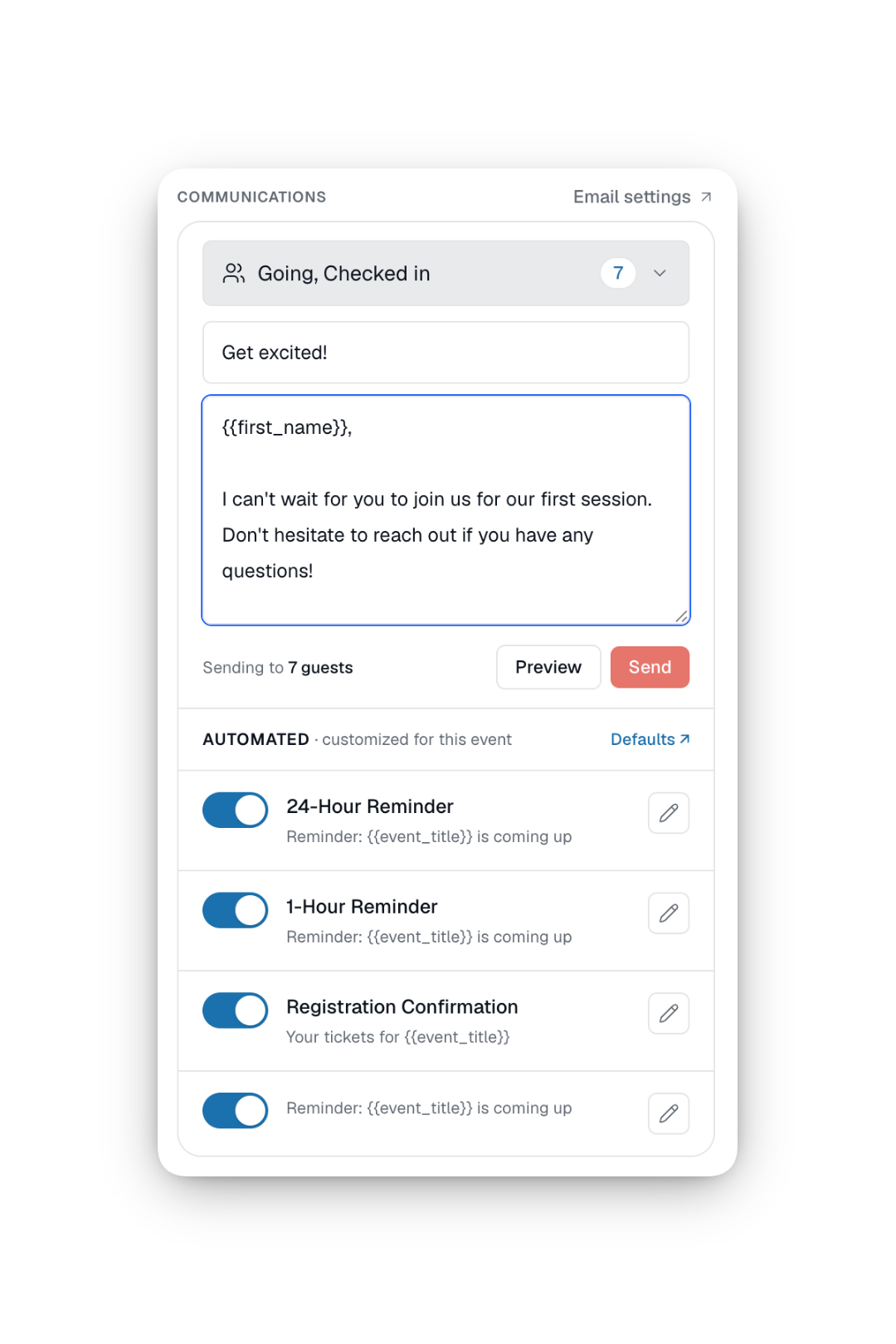
Other services send emails from their brand, Eventually sends messages from your brand. All the info your attendees need, with nothing that they will ignore.
Set templates for confirmation, reminder, and thank you.
Per-event email message customization.
Smart tags to pull in attendee and event information.
Per-event broadcasts, filterable by ticket type & check in status
Squarespace event ticketing, answered.
-
No. Eventually is built as a Squarespace-first extension. Your site stays where it is. Your domain stays where it is. Your Commerce store stays where it is.
Eventually adds an embeddable calendar, a registration form, and an attendee dashboard — on your Squarespace site, using your Squarespace Payments. We extend Squarespace Commerce. We don't replace it. -
Through your own account. Ticket sales process through your Squarespace commerce by default. Stripe inline ships Q4 2026 as a second option. Either way, the card is charged by your processor, not ours.
-
There isn't one. Eventually charges a flat monthly subscription — $19, $49, or $169 — regardless of how many tickets you sell. 100% of ticket revenue stays yours. The only cut is your processor's standard rate. Eventually is a tool, not a tax.
-
Yes. Upload a CSV and Eventually reads the source automatically. Events land as drafts so you can review before publishing.
Pro subscriptions include migration support — we'll do the import for you and reconcile guests from your old system. -
Kelsey and Zack Gilbert-Kreiling. Kelsey runs Week of the Website, one of Squarespace's few Enterprise resellers and Professional Services Partners — 1,000+ sites since 2014.
Zack is the engineer (Foursquare, Basecamp, Scheduled Goods). Fifteen years of knowing each other before they finally worked together. We answer the support email ourselves.