What Squarespace’s service business survey means for sellers running classes, workshops, and events

Squarespace released theirMay 2026 service business survey, covering more than 500 entrepreneurs across the design-driven platform’s commerce, scheduling, and marketing tools. They confirmed what we hear often- the businesses moving fastest are the ones running fewer, better-integrated tools. For service businesses whose calendar is the business (think classes, workshops, recurring events, retreats and ticketed gatherings) that integration story has one missing piece. Eventually is the Squarespace-first ticketing extension built to close it: events sync as Squarespace Commerce service products, tickets sell as variants, payments process through Squarespace Payments, and the whole layer runs on a flat monthly subscription instead of per-ticket fees.
The pattern across recent conversations
I’ve been building Squarespace sites since 2014, and over the last six months a version of the same conversation has come up again and again with the calendar-centric entrepreneurs we work with.
It usually starts with someone showing me how they run their business: A yoga studio runs class enrollment through one tool, payments through another, email reminders through a third, and a spreadsheet to track who actually showed up. A pottery instructor uses Squarespace for the site, Eventbrite for tickets, Mailchimp for follow-ups, and a Google Doc for the waitlist. A small dance school has Squarespace Scheduling with Acuity for private lessons, a separate ticketing platform for performances, a different email tool, and a printed roster for check-in.
They’re tired. The work isn’t the teaching or the gathering; it’s the operational layer underneath. And almost everyone says the same thing: I just want this to be one place.
So when Squarespace published its service business growth survey last week, I read it carefully. More than 500 entrepreneurs, surveyed about their workflow, their tools, and what’s slowing them down. The findings are exactly what I’ve been hearing, told back in clean numbers.
Here’s what stood out and where the story extends past where the survey leaves off.
What the survey actually found
Squarespace surveyed more than 500 service businesses, covering entrepreneurs running everything from coaching practices to studios to consulting work, both inside and outside the Squarespace customer base. They asked them about tools, time, and growth. A few numbers carry most of the weight:
52% of service businesses not using Squarespace rely on four or more tools to run their operations.
Roughly 1 in 4 of those businesses spend more than 16 hours a week (nearly two full workdays) managing admin tasks like inquiries, scheduling, and payments.
65% of Squarespace customers have condensed their operations to three tools or fewer.
43% of Squarespace customers spend less than five hours per week on administrative work.
80% of non-customers agree that a more seamless, end-to-end client experience would help them grow.
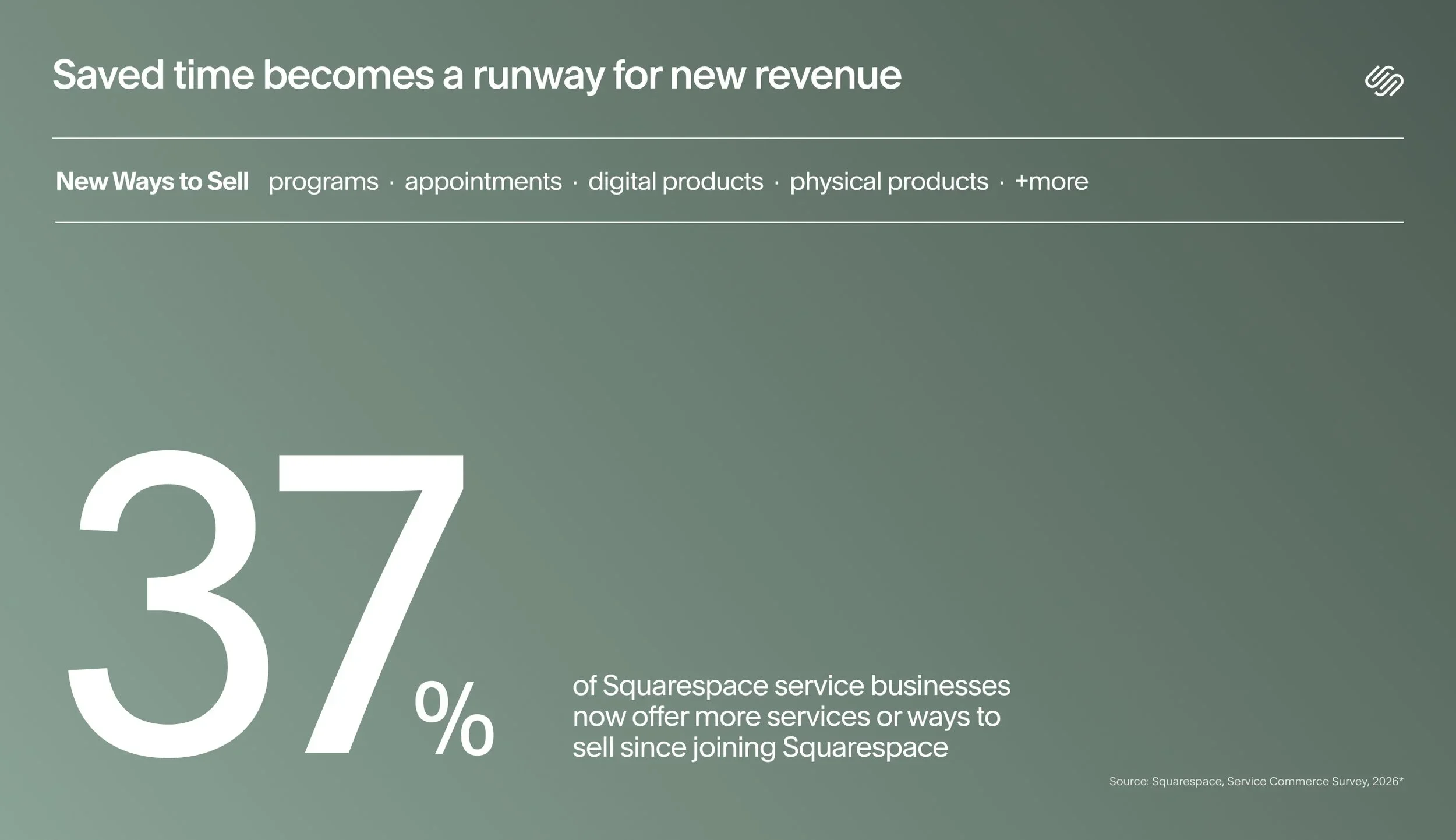
1 in 3 Squarespace customers report increased revenue since they started using the platform.
The full survey is on Squarespace’s blog here.
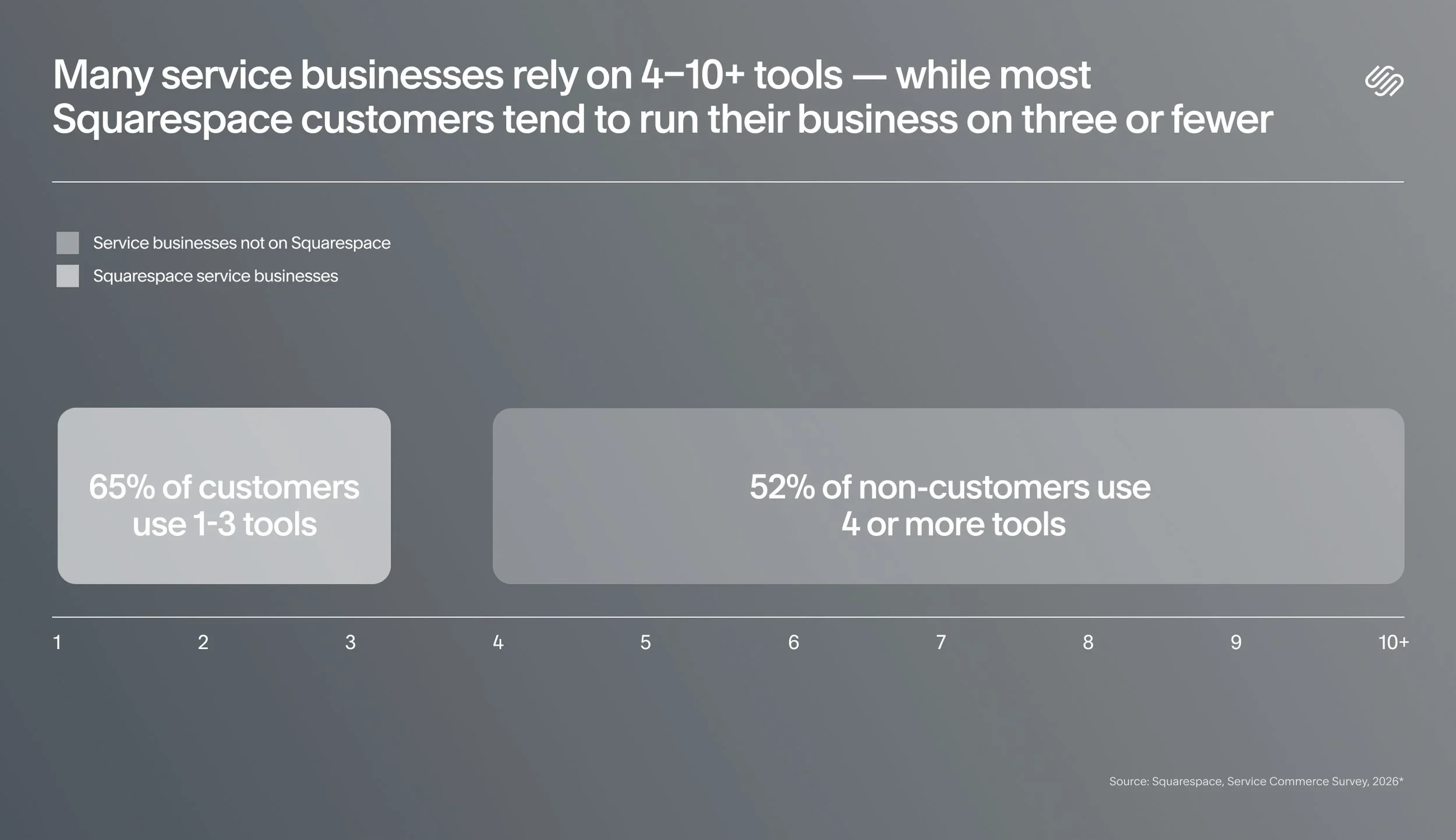
The shape of the finding is consistent: fewer tools, more integration, less time on admin, more time and revenue available for the actual work. That’s the design-driven platform’s thesis playing out in survey data—entrepreneurs build brands and businesses online faster when they’re building in one place instead of stitching together five.
It’s also exactly the right finding to take seriously if your business runs on a calendar.
Why this matters more for calendar-centric sellers
Most service businesses use a calendar in some form whether it’s booking appointments, consultations, sessions. Squarespace already covers that beautifully through scheduling tools with Acuity. But there’s a subset of service businesses where the calendar isn’t a scheduling layer underneath the work; the calendar is the work. The class is the offering. The workshop is what you sell. The event is the business.
If that’s you, the survey’s findings hit even harder. The four-or-more-tools problem doesn’t look like “my email tool and my booking tool.” It looks like:
Squarespace for the site
An external ticketing platform that takes a per-ticket cut
A scheduling tool that wasn’t designed for multi-attendee events
A separate email tool because the built-in confirmations look generic
A spreadsheet to track who actually showed up
A printed roster for check-in day-of
Add it up and you’re running five or six tools to sell tickets to an evening yoga class. Each one charges you, each one has its own login, and none of them talk to each other.
This is the version of the four-tool problem that gets ignored in most operational advice. The fix isn’t a better calendar app. The fix is recognizing that calendar-centric selling is its own category, and the tooling stack for it has historically been worse than what other service businesses get.
Where the survey’s story ends
Squarespace’s recommendations at the end of the survey are good ones. Use Blueprint AI Builder to launch the site. Use scheduling tools with Acuity for one-to-one bookings. Use the built-in commerce tools to sell services and subscriptions. Use email marketing in the same place you build your site. Use Bio Sites and Unfold to extend your presence into social.
All of it works. All of it is part of the same design-driven platform helping entrepreneurs create an online presence, build an audience, monetize, and scale. That’s a powerful arc that is so real for most service businesses.
There’s one mention of event tickets in the recommendations, folded into the ecommerce paragraph. That’s about as deep as the survey goes on the events question. Which makes sense. The survey covers a broad service-business universe; events are a specialized layer within that universe.
But for the calendar-centric seller, that specialized layer is the whole business. And it’s where the survey’s integration story has a gap.
How Eventually helps service businesses on Squarespace
Eventually is the events layer that completes the picture for service businesses whose calendar is the product. It’s built as a Squarespace-first extension: designed from the start to run on Squarespace’s commerce foundation rather than alongside it and it picks up where Squarespace Commerce and scheduling tools with Acuity leave off.
Here’s where Eventually sits in a calendar-centric service business stack, and what it actually does:
Recurring events without duplicating products 52 times
Squarespace Commerce was built for products and services that live as a single catalog entry. That works beautifully for memberships, downloadable resources, one-time consulting packages, and physical goods.
It works less well when your business is a weekly cooking class that happens 52 times a year, each one a separate session with its own attendees, its own capacity, and its own dietary information to capture.
Eventually generates recurring events automatically. Set up the class once. Define the recurrence pattern. Eventually creates the individual sessions, syncs each one as a Squarespace Commerce service product, and exposes them through a calendar widget on your site. When a session sells out, the next one is already there waiting.
Per-attendee data capture, not just purchaser data
In standard Commerce, you capture the purchaser. One name. One email. The person who clicked the button. That’s perfect for selling a coffee mug. It’s incomplete when you’re running a workshop and the person buying tickets for their three friends needs to enter each friend’s name, allergies, experience level, and t-shirt size.
Eventually adds custom registration fields per attendee. The purchaser checks out once, but every guest gets their own data captured. You walk into the workshop knowing which attendees are gluten-free, which ones are beginners, and which one’s celebrating a birthday. That data flows into a dashboard on your Squarespace site, not into a separate spreadsheet you forgot to update.
A calendar widget that actually looks like your site
Most embeddable event calendars look like visual islands, pasted onto your site instead of designed to be a part of it. They break the design-driven principle Squarespace built its platform around. Your beautiful site, interrupted by a third-party box that wasn’t designed to belong there.
Eventually’s calendar widget is a real embed with deeply documented CSS selectors and named custom properties. Designers can style it to match the site exactly. AI assistants can read it and restyle it from natural language. It looks like a page Squarespace would have built if Squarespace built robust event calendars.
Branded confirmations and reminders in your voice
Default platform emails work, but they sound like default platform emails. For a service business spending years building a voice that matches their brand, an automated confirmation that opens *“Thank you for your purchase!” is a small leak in the brand experience every time it sends.
Eventually’s emails (confirmation, reminder, post-event thank you) are editable per event, but templateable for your business. Write them in your voice once, reuse them across recurring sessions, customize for specific workshops when it matters. The guest experience stays consistent from the moment they discover the class on your site to the morning-of reminder that they’re excited to receive.
QR check-in from the phone you already have
Day-of attendance tracking is usually the part that falls apart. A printed roster. A volunteer with a clipboard. A door manager scrolling through Mailchimp on their phone.
Eventually’s check-in flow is a QR scan from the iPhone in your pocket. Attendance data flows back to the dashboard in real time. That means sponsor reporting, capacity tracking, and no-show patterns are actually captured and you have the data to make the next event better.
Flat monthly subscription, not per-ticket fees
Eventbrite charges roughly 3.7% plus $1.79 per ticket. On a $50 weekly ceramics class with 15 seats running 52 weeks a year, that’s about $2,730 in fees you pay to a platform that isn’t building your brand. The cost scales with your success.
Eventually charges a flat subscription regardless of ticket volume. Free up to 25 attendees and three events per month. Essentials at $19/month for solo studios. Growth at $49/month for busier calendars. Pro at $169/month for top single-site operators who need pre-sale, migration support, and onboarding help. The math gets dramatically better as the business grows, which is exactly when the platform should be helping, not extracting more.
Events are not appointments (and that’s why this layer matters)
If you’ve been on Squarespace for a while, you might be wondering: what about scheduling tools with Acuity? It’s built into the platform, it’s integrated, it’s designed by the same team.
Acuity Scheduling is excellent at what it’s built for: one-to-one appointment booking. A client picks a 45-minute slot. They fill out an intake form. The session is theirs. That’s appointments, and Squarespace already does this beautifully.
Events are a different shape. Twelve students in one class. Three ticket tiers. Event (not ticket) based capacity. A waitlist. Dietary information for each attendee. Check-in at the door. Appointments are one-to-one and time-based; events are one-to-many and capacity-based. Both belong on a calendar, but they’re not the same problem.
Squarespace already covers the appointments side. Eventually covers the events side. For a lot of calendar-centric service businesses like yoga studios, dance schools, cooking classes, ceramics workshops, kids’ camps, small concerts, gallery openings, fundraisers, member clubs, both layers exist in the same business. Now both can live on Squarespace.
Common questions about selling event tickets on Squarespace
-
Yes. Events sync as Squarespace Commerce service products, tickets sell as variants, and payments process through your existing Squarespace Payments account. The checkout your guests see is the same checkout they’d use for any other purchase on your site.
-
Eventbrite and Luma are discovery platforms. We think of them as “You Might Also Likes.” In theory, they bring traffic from their own networks and charge per-ticket fees in exchange. They’re built for promoters who need cold marketplace traffic. Eventually is brand infrastructure built to extend your business: your event lives on your site, the checkout matches your brand, the data stays in your system, the cost is a flat subscription. The qualifying question: where do your attendees come from? If they come from your email list, your Instagram, your community, you don’t need a discovery platform. You need infrastructure
-
Eventually supports CSV imports from Shopify, Eventbrite, and Squarespace’s existing product structure. White-glove migration assistance is included at the Pro tier ($169/mo).
-
Yes. The free tier covers up to 25 attendees and three events per month, including QR check-in and attendee data capture, which makes it the right starting point for nonprofits, community organizers, and anyone running free workshops or RSVP-only gatherings. If you need larger free events, one of our paid tiers can give you the infrastructure you need to host at scale.
-
Many calendar-centric service businesses don’t start out thinking of themselves as event businesses. A workshop here, a pop-up class there, a quarterly intensive; the tooling problem only shows up once the calendar gets busier. Worth knowing the layer exists, and our free tier is the perfect way to try it out.
What to do with the survey if you’re a calendar-centric service business
If you’re running classes or workshops on Squarespace and your tool stack has crept past three: audit what each tool is doing. If two or more of them are duct-tape around the events problem (a ticketing platform, a separate email tool for event reminders, a spreadsheet for the roster), that’s the consolidation opportunity the survey is naming.
If you’re a Squarespace designer with calendar-centric clients: the survey’s findings give you a clean way to talk to them about consolidation. The pitch isn’t “use this one tool I like.” It’s “the data shows fewer tools means more time and more revenue so let me help you map the tools you use against that.”
If you’re considering Squarespace and you run events as your business: read the survey, then know that the events layer is now native-feeling thanks to Eventually. The pairing answers the calendar-centric version of the question the survey is asking.
If you’re a service business on Squarespace whose calendar is starting to fill up: the moment to add an events layer is usually right before you need it, like when you’re about to add a recurring class, launch a workshop series, or move from one-off bookings into something that runs on a schedule. That’s when the four-tool problem starts.
The bottom line
Squarespace’s service business survey is naming a real problem: operational fragmentation. Entrepreneurs have been feeling this for years and not always articulating clearly. More than 500 business owners, surveyed and counted, is hard data behind a soft, persistent ache.
For calendar-centric service businesses like you, the studios, the workshop leaders, the educators, the venue operators, the event-powered organizations, the survey’s lesson is the same as for everyone else, but the version of the problem you’re solving is sharper. The fewer-tools insight isn’t just about saving time. It’s about whether the gathering you’re building gets to feel like one well designed thing, or whether your guests can tell it was assembled from parts.
Squarespace gives entrepreneurs the design-driven foundation to build brands and businesses online. They help you create an online presence, build an audience, monetize, and scale. Eventually extends that foundation into the calendar-centric layer on top of it: the events, the classes, the workshops, the gatherings.
You chose Squarespace to build your site, now Eventually can bring your guests to the gathering.
Keep reading:
→ Squarespace Recurring Events
→ Squarespace Event Ticketing Options Compared