We built co-hosts for venues that host touring bands and guest instructors, the partners who help run your night but don't need the keys to your whole account.
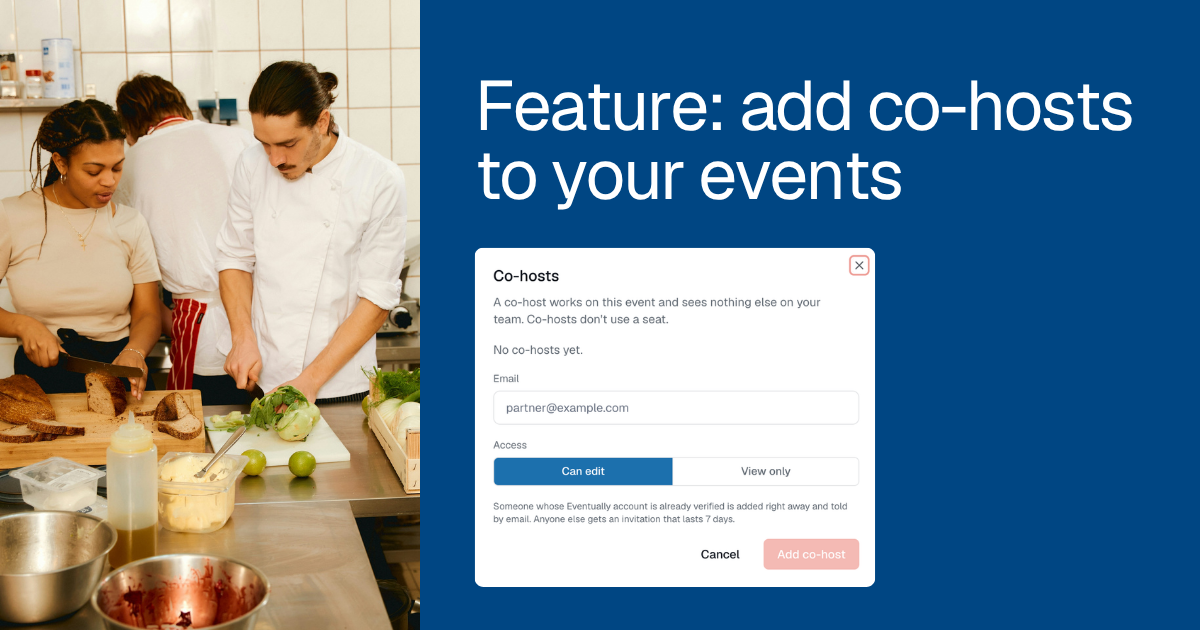
Open the event in Eventually, click Co-hosts and add your partner by email. They get that one event (or one series, or one date of a series) and nothing else on your team.
Friday's band wants the count
The trio playing your patio on Friday wants to know how many tickets have sold. Their manager texts at noon, again at four, and once more from the parking lot. The friend they bring to run the door needs the guest list before the first set.
Until now you had two options. You could send screenshots all afternoon. Or you could hand over your own login and hope nobody wandered into billing.
Neither one is how you want to treat a guest artist. They are part of your night, and they should have what they need to do their part well.
How it works
Open the event and click Co-hosts in the header. Enter your partner's email and choose an access level.
Can edit: the event's details, its guests and their answers, check-in at the door, adding a guest, and emails to that event's guests.
View only: the event and its guest list, plus the export.
Can edit does not touch the schedule. Adding or removing dates stays with your team, so a co-host can't add or drop a night from your calendar.
One night, or the whole series
Running something that repeats? Open a date of a series and click Co-hosts. You'll see two choices: This date or Every date in this series.
A date co-host runs that night: its guests, its door and its emails. Tickets, questions, images and the waiver stay with you. A series co-host covers every date, which suits the book club that takes your back room on the first Tuesday of every month.
What your co-host sees
Your partner accepts from the invite email, or signs up if they're new, and lands right on the event. Their navigation shows Your events and their own settings. They don't see your dashboard, your other events, Insights or billing.
The bigger calls stay with your team. Refunds, moves and transfers are yours. So are publishing and cancelling.
Co-hosts get the notifications for their own events, such as new orders, capacity and the waitlist, when they turn those toggles on. Team-wide email never reaches them, so the guest chef won't hear about your Saturday market.
Who it's for
Venues that host partners. The touring band playing one Friday. The guest instructor teaching a six-week course. The chef cooking one supper in your dining room. Give the band one night, give the instructor the series, and let each of them run their part.
It also works the other way around. The performer you invited gets a login of their own. If they have no events yet, Start your own events sets up a Free team for them in one click. Next season, they might be the one inviting you.
Co-host or team member?
A co-host is for one event, one series or one date. Someone who helps with everything, like a front-of-house manager or the designer who manages your site, should be a team member instead.
Plan
Co-hosts work on every paid plan, from Essentials up. A co-host never takes a team seat, so your seat count stays where it is.
If your team moves to the Free plan, co-host access pauses. Nothing is deleted. When you upgrade again, every co-host comes back with the same access, and there's nobody to re-invite.
Set it up once. Hand over the door.
The next time a band asks for the count, you won't have to answer the text. They can check the count themselves and open the door on time. You get to stand at the back with everyone else and enjoy the set.
Step-by-step setup is in the help center: Invite and manage event co-hosts.
Keep reading
Add your first co-host.
Give your next guest artist the door, not your password. Get started free